
After reading this article, you’ll know:
-
Column layout component’s major options
-
How to use the Column component in your application to build page layouts
What is the Column layout component?
Column layout is a layout component that helps organize and structure the content on a page. It is the quickest way to draw a layout grid on a new page for filling it with content such as text, images, or other components can be placed.
This component is an enhanced version of the Column component made for convenience.
Configuration
Once you add the Column layout component onto a new page, you'll see a pop-up window with a configuration. Here you can add rows and split them into up to 6 columns.
Note: On smaller screens, the preview may differ from what you see on the canvas.
It should be the same when you build the page.
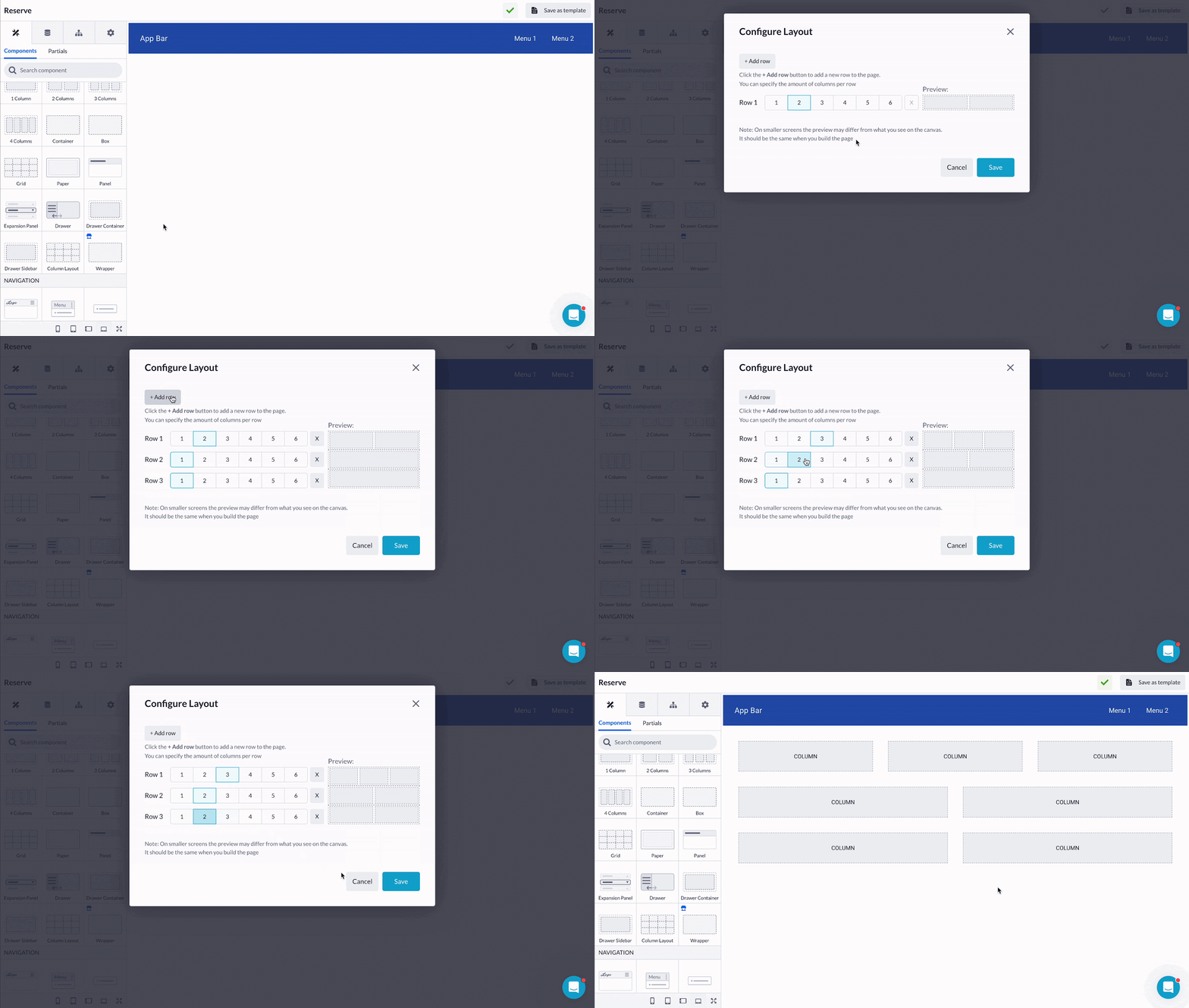
Notice that one parent Row with a Column is added along with those that we selected. To see the component hierarchy and easily navigate through it, make sure you know how to use the Component tree.
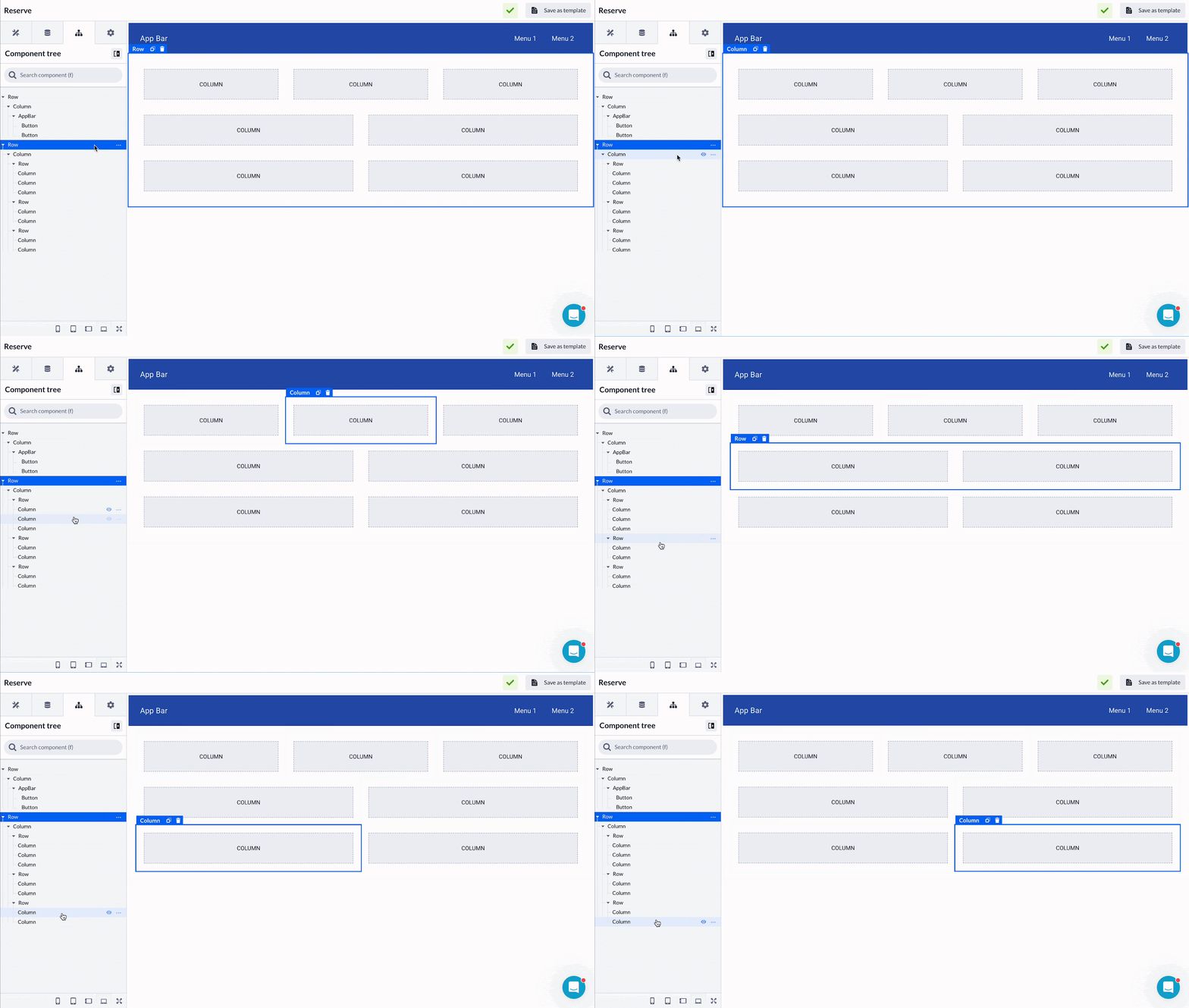
From this point, you can follow the Building page layout configuration to fill the newly added columns with other components.