
Input variables let a page receive data from outside itself — for example, a query parameter in the URL or a value passed in when the page opens. A common use is passing an ID so the page knows which record to load.
You can currently add two kinds of input variable:
- Text — for words, names, or IDs stored as text.
- Number — for numeric values.
Add an input variable
1. While on page, go to Page resources tab in the Pages menu:
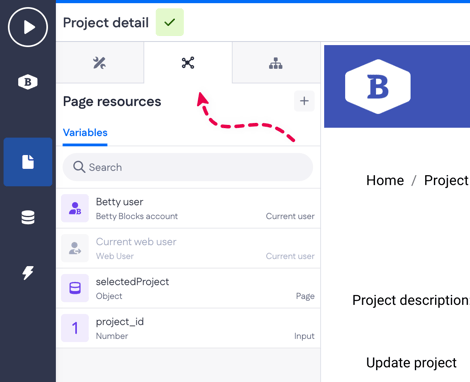
2. Click the + button > Input variable
3. Give the variable a name and choose its kind (Text or Number)
.gif?width=670&height=275&name=Screen-Recording-2026-02-12-at-1%20(2).gif)
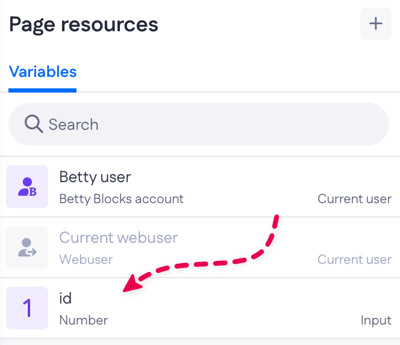
4. Click Save. The new variable appears in the list of variables (under the Variables tab in Page resources)
Example use cases
Load a record
Say you have a page that shows the details of a single project. Instead of building a separate page for every project, you add a project_id input variable. When someone opens the page with a project ID in the URL (for example, /project?project_id=42), the page reads that value and uses it to load and display the right project.
The result: one reusable page for any project, rather than duplicating the same layout over and over.
Set the starting state of a page
Now imagine a "leave a review" page. From a list of completed orders, each order has a button that opens this page with a rating already chosen — for example, /review?rating=4. You add a rating input variable of kind Number, so the page reads that value and pre-selects four stars when it loads.
The reviewer can still change it, but they start from a sensible default instead of an empty form. This shows input variables aren't only for fetching data — they can also decide what a page looks like when it opens.