
Genius Pages only. The components described here belong to the Genius component set. They are not interchangeable with classic Pages components — even when the names look the same, the options and runtime behavior differ.
Table
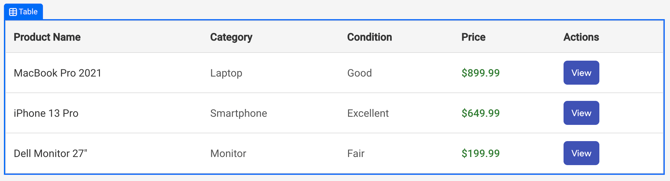
Renders records in rows and columns. The Table itself is intentionally minimal — almost everything is controlled by its children (Table Row and Table Cell) and by the page variable behind it.
Options
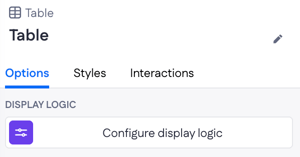
- Display logic — show or hide the Table.
A Table is typically wired up by placing it inside a Collection (or by using a collection variable that drives row rendering). Sub-collections (Has-many, Habtm) can be displayed directly inside a Table Cell or inside a row's detail view.
Table Row
A single row within a Table. Two distinct uses:
- Header row — sits directly under the Table. Its Table Cells contain static Text components for the column names.
- Data row — sits inside a Collection that's also under the Table. The Collection repeats this row once per record from its page variable.
Table Row has no standalone options panel; its content is the Table Cells you place inside.
Table Cell
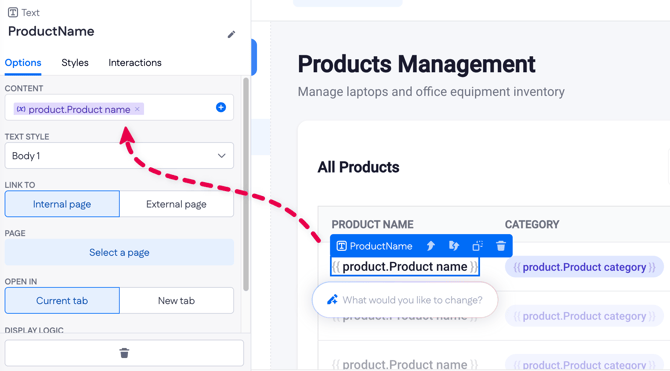
An individual cell within a Table Row. Holds whatever component shows in that column — usually a Text (bound to a property for data rows, static for header rows), but it can also hold a Button, an Icon, a Popover for row actions, or a combination.
How Genius structures a Table
When Genius generates a table from a prompt, it typically wraps everything in a parent widget (for example, "Products Table Panel") that exposes Table title, Page variable, and Placeholder rows at the widget level — so the most common settings are editable without drilling into the Table itself. Inside the widget, the structure looks like this:
- Widget (for example, Products Table Panel)
- Box — layout wrapper for the table area
- Table — the table component
- Table Row — the header row, with one Table Cell per column
- Collection — bound to the page variable that supplies the rows
- Table Row — the data template, repeated once per record
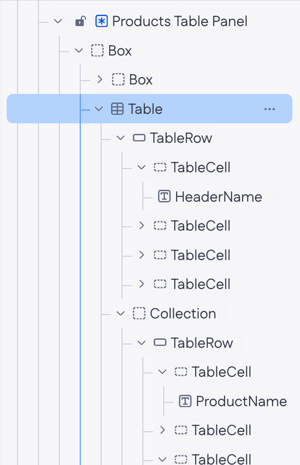
The header Table Row sits directly under the Table. The data Table Row sits inside the Collection, which is what makes it repeat for every record.