
Genius Pages only. The component described here belongs to the Genius component set. They are not interchangeable with classic Pages components — even when the names look the same, the options and runtime behavior differ.
Snackbar is a short notification that appears briefly to confirm an action or show a quick message. It auto-hides after a set time.
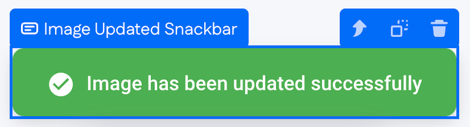
When a Snackbar is hidden, the canvas shows a placeholder bar so the component stays visible to the page builder. At runtime, the placeholder is replaced by the configured message — or by nothing, when the Snackbar isn't currently triggered.

Options
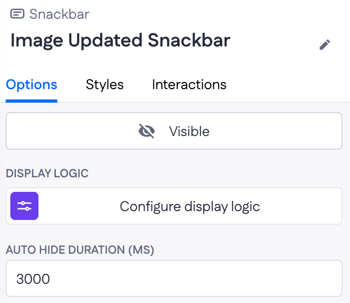
- Visible — controls whether the Snackbar is showing. Typically toggled by an interaction after a successful action.
- Display logic — show or hide the Snackbar.
- Auto hide duration (ms) — how long the Snackbar stays visible before hiding itself, in milliseconds (default: 3000).
Example
After a user uploads a new profile photo, an "Image Updated Snackbar" appears at the top of the page with the message "Image has been updated successfully." It hides itself after 3000 ms, so the user gets the confirmation without having to dismiss it manually.