
As shown below, when you create a model, default properties are applied to the model. These initial properties provide unique identifiers. Additional properties can be added as required to a model. The following example contains an overview of the role model with additional properties applied.
The individual tabs provide access to the specific details and settings for a model.
Tip! Use the Back button to return to the previous view.
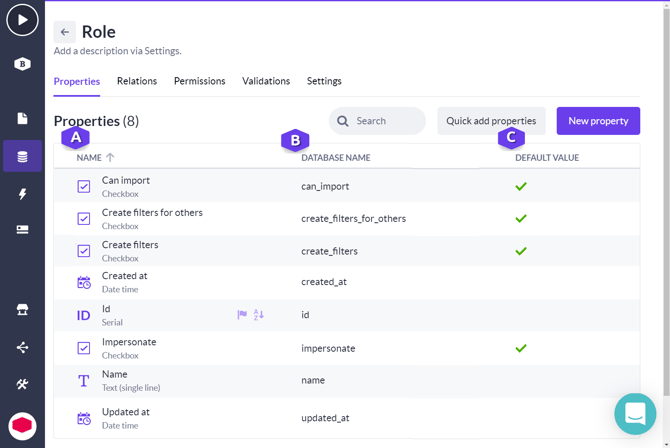
A. The name of the property is displayed in this column.
B. The name applied for the property in the database. This name originates automatically from details provided when creating a model.
Note: This name can be used when defining an application programming interface (API) or when developing custom actions.
C. Whether or not a default value is set. You can click on the property row to open the details for a property to set the default value settings.