
Current user variable holds user-related data based on the authentication profile selected for the page — for example, the Current web user or the Betty Blocks account (the native authentication profile). Use it whenever a page needs to know who is signed in.
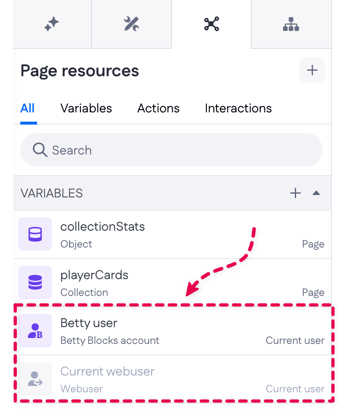
You can see the available user variables in Pages > Page resources (All or Variables tab):
How it relates to authentication profiles
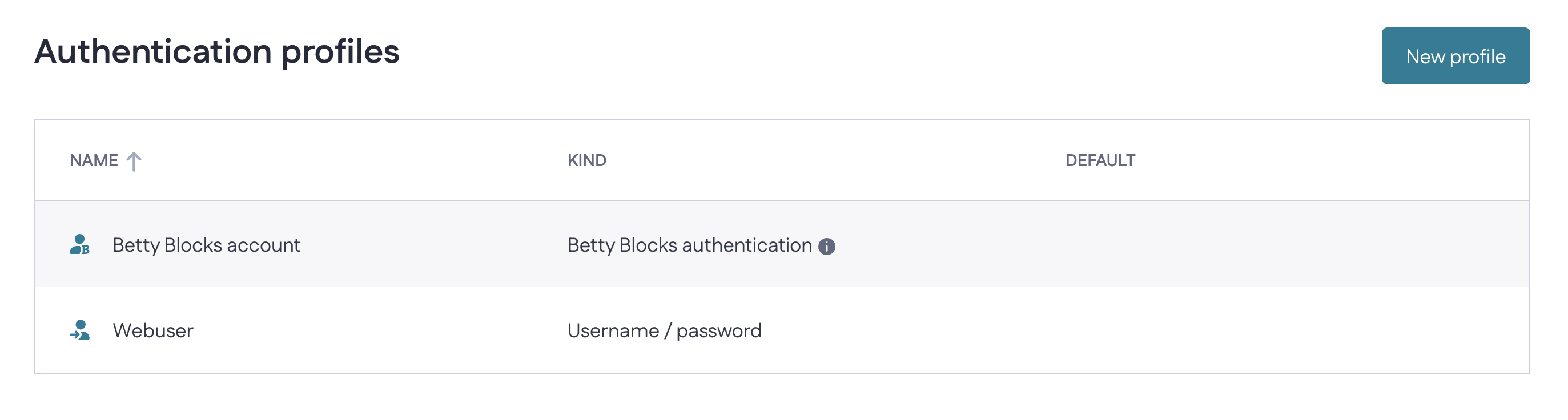
Each current user variable is tied to an authentication profile. As you create profiles to your application via Tools > Authentication profiles, a matching current user variable appears in the Page resources overview.
You set the page's authentication profile in Settings (the gear icon in the top-right of the Pages menu). The variable that matches the selected profile becomes the active current user variable for that page. Any other current user variables stay inactive — they're listed, but they won't return data unless their profile is the one selected for the page.
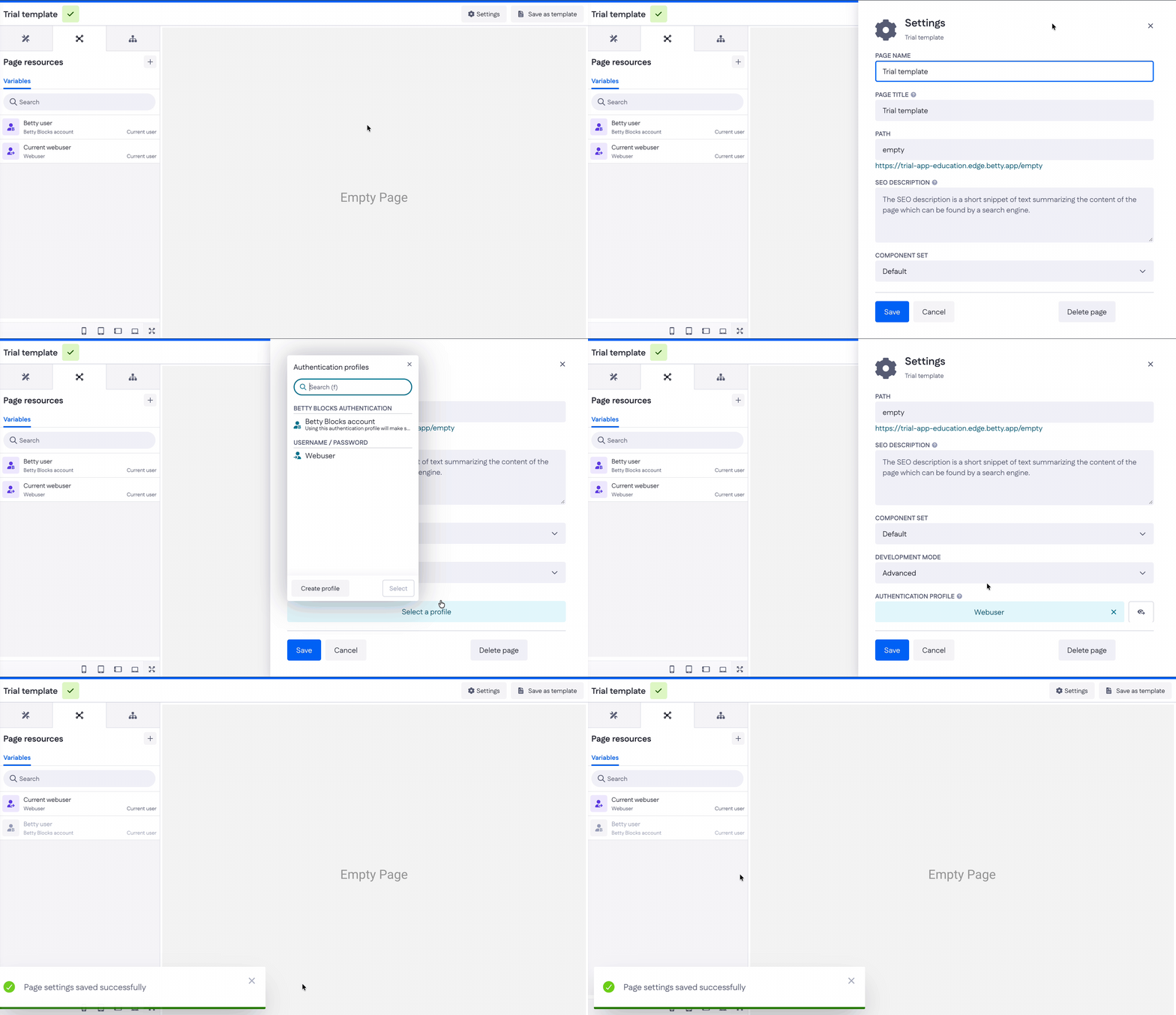
In the example above, the page uses the Betty Blocks account profile, so the Betty user variable is the active current user variable.
What you can do with it
- Show who's signed in: display the current user's name or email in a header, e.g.
Welcome,. (Property names depend on your profile's user model.) - Filter data to the current user: show only records that belong to them — for example, filter Projects where Owner equals the current user's ID, to build a "my projects" view.
- Set ownership on create: assign the current user as the owner of a new record in a form's action.
- Show or hide components by role: use the current user's role or attributes in a condition to control what's visible.
- Pre-fill forms: populate fields with the current user's details so they don't have to retype them.