
Important! This feature is currently available only through a feature flag. To request access, contact Betty Blocks support using this form.
An action runs on one of two runtimes: JavaScript or WebAssembly (Wasm). Every action built before Wasm actions were released runs on JavaScript, so most existing applications hold JavaScript actions only.
You can move a JavaScript action to the Wasm runtime without rebuilding it. The platform compiles the action's JavaScript into a Wasm component and runs the action from there. The switch is made per action, so you can move one action at a time and leave the rest of your application as it is.
Why run an action on Wasm
Two practical reasons:
- Portability. A Wasm component is based on open standards, so the compiled action is not tied to the Betty Blocks runtime. This matters most when you embed Betty Blocks in your own product and want the option to run parts of it somewhere else.
- Room for longer tasks. The JavaScript runtime puts a cap on how long an action may run. A Wasm action is managed by wasmcloud, which can handle work that needs more time.
Switch an action to the Wasm runtime
- Open the action in the action builder.
- Click Settings in the top-right corner.
- On the Options tab, turn on Use the WebAssembly (Wasm) runtime.
- Save the action.
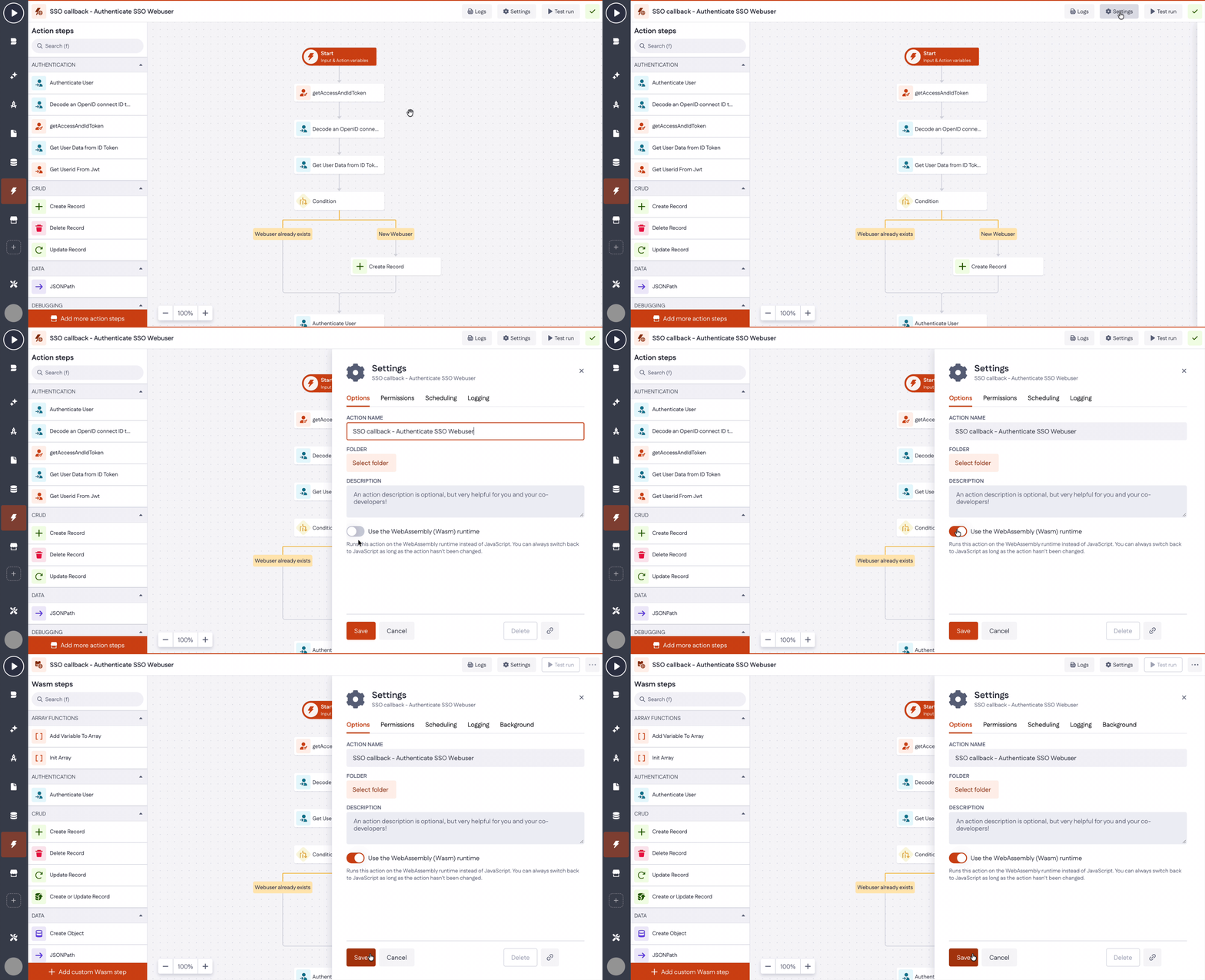
Your existing steps stay in place. The step panel on the left now shows Wasm steps: the steps that are available to an action running on this runtime.
Download the compiled code
Once the action runs on Wasm, you can download the compiled source:
- Go to App Blueprint.
- Click Download in the top-right corner.
- In the Download application code dialog, choose Back-end (Wasm).
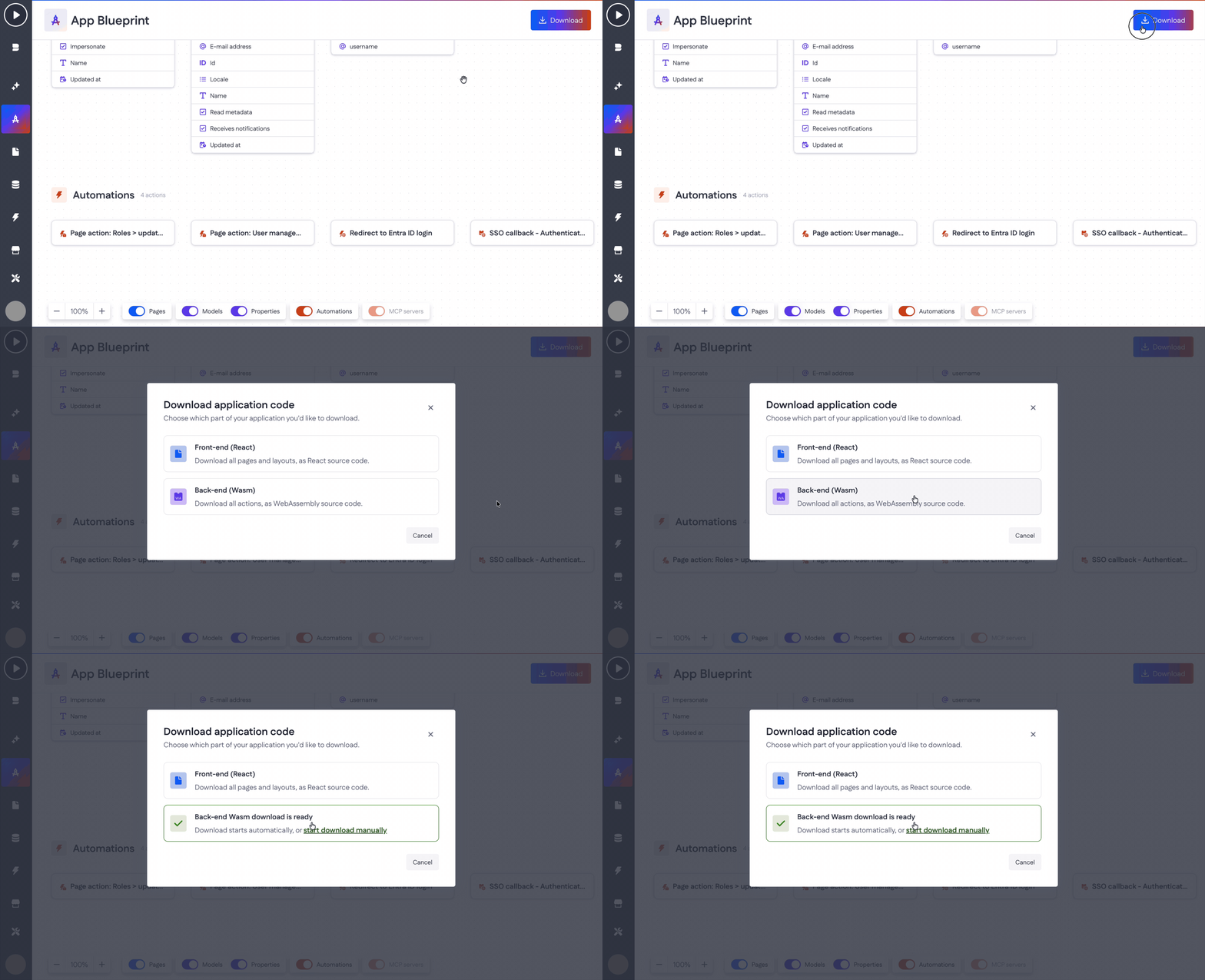
This gives you all actions in the application as WebAssembly source code. The same dialog also offers Front-end (React), which downloads your pages and layouts as React source code.
Keep in mind
- You can only switch back while the action is untouched. As long as you haven't changed the action after enabling the toggle, you can turn it off and return to JavaScript. Once you adjust the action, the Wasm version becomes the only version and the switch is permanent.
- Test the action after switching. Use Test run in the action builder to confirm the action behaves the way it did on the JavaScript runtime.